mirror of
https://github.com/owntracks/frontend.git
synced 2026-05-05 03:06:32 +00:00

160 lines
6.0 KiB
Markdown
160 lines
6.0 KiB
Markdown
# OwnTracks Frontend
|
|
|
|

|
|
[](https://hub.docker.com/r/owntracks/frontend)
|
|
[](https://github.com/owntracks/frontend/actions?query=workflow%3ABuild+branch%3Amain)
|
|
[](https://github.com/owntracks/frontend/actions?query=workflow%3ATests+branch%3Amain)
|
|
[](https://github.com/owntracks/frontend/actions?query=workflow%3ALint+branch%3Amain)
|
|
[](https://github.com/prettier/prettier)
|
|
[](https://github.com/owntracks/frontend/blob/main/LICENSE)
|
|
|
|
|
|
|
|
## Introduction
|
|
|
|
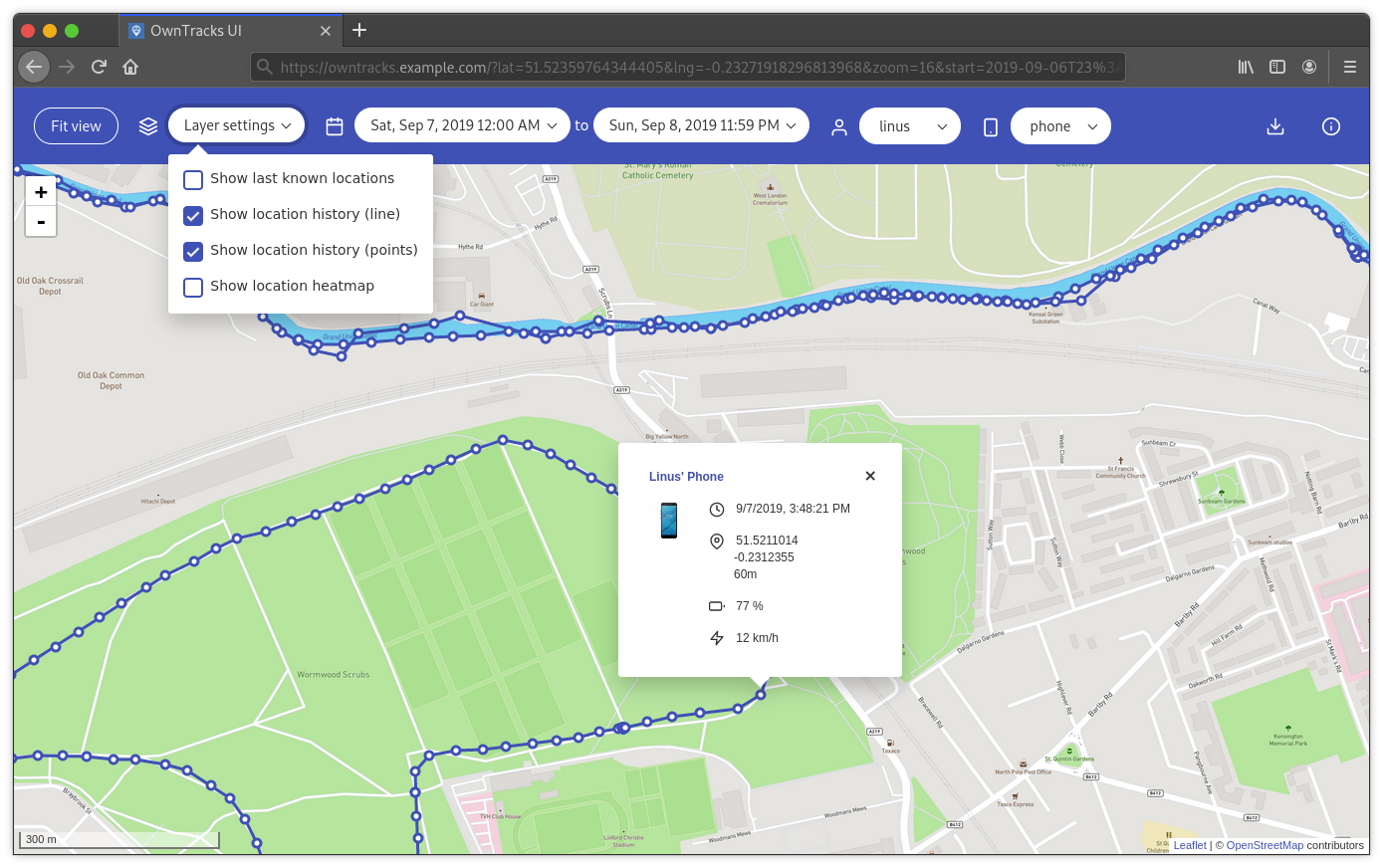
This is a web interface for [OwnTracks](https://github.com/owntracks/recorder) built as
|
|
a Vue.js single page application. The recorder itself already ships with some basic web
|
|
pages, this is a more advanced interface with more functionality, all in one place.
|
|
|
|
|
|
|
|
## Features
|
|
|
|
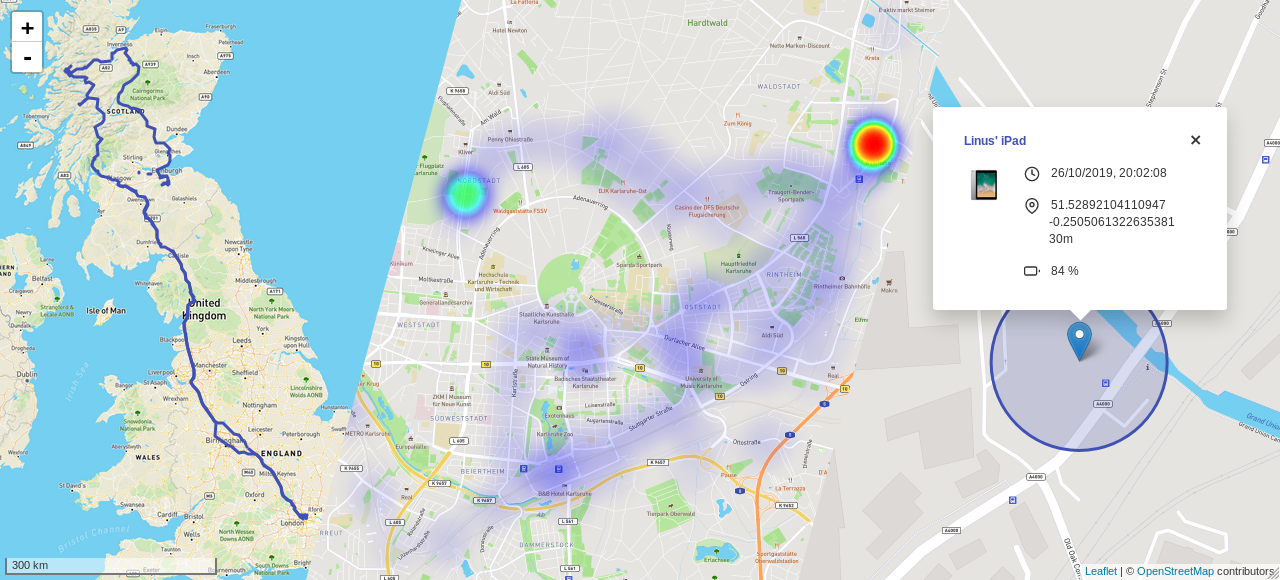
- Last known (i.e. live) locations:
|
|
- Accuracy visualization (circle)
|
|
- Device friendly name and icon
|
|
- Detailed information (if available): time, latitude, longitude, height, battery,
|
|
speed and regions
|
|
- Location history (data points, line or both)
|
|
- Location heatmap
|
|
- Quickly fit all shown objects on the map into view
|
|
- Display data in a specific date and time range
|
|
- Filter by user or specific device
|
|
- Calculation of distance travelled
|
|
- Highly customisable
|
|
|
|
## Notes
|
|
|
|
Frontend has no provision for user management, authentication, or for configuring TLS; these are tasks which a HTTP server you use will have to provide, and an explanation on how to do that is beyond our scope; you should be able to find a myriad explanatory documents for the server you wish to use. Also note, that even if you set up authentication, any user successfully being able to access Frontend will be able to see all Recorder data, as the API of the latter doesn't distinguish querying users.
|
|
|
|
## Installation
|
|
|
|
### Docker
|
|
|
|
A pre-built Docker image is available on Docker Hub as [`owntracks/frontend`](https://hub.docker.com/r/owntracks/frontend).
|
|
|
|
You can start a container directly via `docker run`:
|
|
|
|
```console
|
|
$ docker run -d -p 80:80 -e SERVER_HOST=otrecorder-host -e SERVER_PORT=8083 owntracks/frontend
|
|
```
|
|
|
|
Or you can use `docker-compose` (if you also run the OwnTracks Recorder with the default
|
|
compose config, and the service is named `otrecorder`):
|
|
|
|
```yaml
|
|
version: "3"
|
|
|
|
services:
|
|
owntracks-frontend:
|
|
image: owntracks/frontend
|
|
ports:
|
|
- 80:80
|
|
volumes:
|
|
- ./path/to/custom/config.js:/usr/share/nginx/html/config/config.js
|
|
environment:
|
|
- SERVER_HOST=otrecorder
|
|
- SERVER_PORT=8083
|
|
restart: unless-stopped
|
|
```
|
|
|
|
To change the port on which the nginx server will listen on, set the
|
|
`LISTEN_PORT` enviroment variable - default is 80.
|
|
|
|
To build the image from source replace `image:` with:
|
|
|
|
```yaml
|
|
build:
|
|
context: ./owntracks-frontend
|
|
dockerfile: docker/Dockerfile
|
|
```
|
|
|
|
(assuming you have this repository cloned to `owntracks-frontend` in the same
|
|
directory as `docker-compose.yml`)
|
|
|
|
### Manually
|
|
|
|
- Run `npm install` to install dependencies
|
|
- Run `npm run build` to compile and minify for production
|
|
- Copy the content of the `dist/` directory to your webroot
|
|
|
|
## Configuration
|
|
|
|
It's possible to get started without any configuration change whatsoever, assuming your
|
|
OwnTracks API is reachable at the root of the same host as the frontend.
|
|
|
|
Copy [`public/config/config.example.js`](public/config/config.example.js) to
|
|
`public/config/config.js` and make changes as you wish.
|
|
|
|
See [`docs/config.md`](docs/config.md) for all available options.
|
|
|
|
## Development
|
|
|
|
- Run `npm install` to install dependencies
|
|
- Run `npm run dev` to compile for development and start the hot-reload server
|
|
- Run `npm run lint:js` to lint JavaScript/Vue files
|
|
- Run `npm run lint:md` to lint Markdown files
|
|
- Run `npm run lint:scss` to lint SCSS files
|
|
- Run `npm run format:js` to format JavaScript/Vue files
|
|
- Run `npm run format:md` to format Markdown files
|
|
- Run `npm run format:scss` to format SCSS files
|
|
- Run `npm test` to run unit tests
|
|
|
|
### CORS-Proxy
|
|
|
|
You can use the [`corsProxy.js`](scripts/corsProxy.js) script to use your production
|
|
instance of OwnTracks for development without making changes to its CORS-Headers:
|
|
|
|
```console
|
|
$ npm run cors-proxy
|
|
```
|
|
|
|
If you have [basic authentication](https://developer.mozilla.org/en-US/docs/Web/HTTP/Authentication#Basic_authentication_scheme)
|
|
enabled, create a `.env` file with your credentials:
|
|
|
|
```text
|
|
OT_BASIC_AUTH_USERNAME=user
|
|
OT_BASIC_AUTH_PASSWORD='P@$$w0rd'
|
|
```
|
|
|
|
Then run:
|
|
|
|
```console
|
|
$ env $(cat .env | xargs) npm run cors-proxy
|
|
```
|
|
|
|
The default host and port it binds to is `0.0.0.0:8888`. Change using the `OT_PROXY_HOST`
|
|
and `OT_PROXY_PORT` environment variables.
|
|
|
|
Finally update `api.baseUrl` in your config to `"http://0.0.0.0:8888/https://owntracks.example.com"`.
|
|
|
|
### I18n
|
|
|
|
This project uses [Vue I18n](https://kazupon.github.io/vue-i18n/). To see missing and
|
|
unused i18n entries, run:
|
|
|
|
```console
|
|
$ npm run i18n:report
|
|
```
|
|
|
|
To add a new locale, copy `en-US.json` to `<locale>.json` in [`src/locales`](src/locales)
|
|
and start translating the individual strings. Make sure to [mention the new locale to the docs](docs/config.md#locale)!
|
|
|
|
For a specific example see commit [`b2edda4`](https://github.com/owntracks/frontend/commit/b2edda410f16633aa6fd9cd4e5250f2031536c7d)
|
|
where German translations were added.
|
|
|
|
## Contributing
|
|
|
|
Please feel free to open an issue and discuss your ideas and report bugs. If you think
|
|
you can help out with something, open a PR!
|