mirror of
https://github.com/fluxcd/flagger.git
synced 2026-03-02 09:40:52 +00:00

152 lines
5.1 KiB
Markdown
152 lines
5.1 KiB
Markdown
# Alerting
|
|
|
|
Flagger can be configured to send alerts to various chat platforms.
|
|
You can define a global alert provider at install time or configure alerts on a per canary basis.
|
|
|
|
## Global configuration
|
|
|
|
### Slack
|
|
|
|
#### Slack Configuration
|
|
|
|
Flagger requires a custom webhook integration from slack, instead of the new slack app system.
|
|
|
|
The webhook can be generated by following the [legacy slack documentation](https://api.slack.com/legacy/custom-integrations/messaging/webhooks)
|
|
|
|
#### Flagger configuration
|
|
|
|
Once the webhook has been generated. Flagger can be configured to send Slack notifications:
|
|
|
|
```bash
|
|
helm upgrade -i flagger flagger/flagger \
|
|
--set slack.url=https://hooks.slack.com/services/YOUR/SLACK/WEBHOOK \
|
|
--set slack.proxy=my-http-proxy.com \ # optional http/s proxy
|
|
--set slack.channel=general \
|
|
--set slack.user=flagger \
|
|
--set clusterName=my-cluster
|
|
```
|
|
|
|
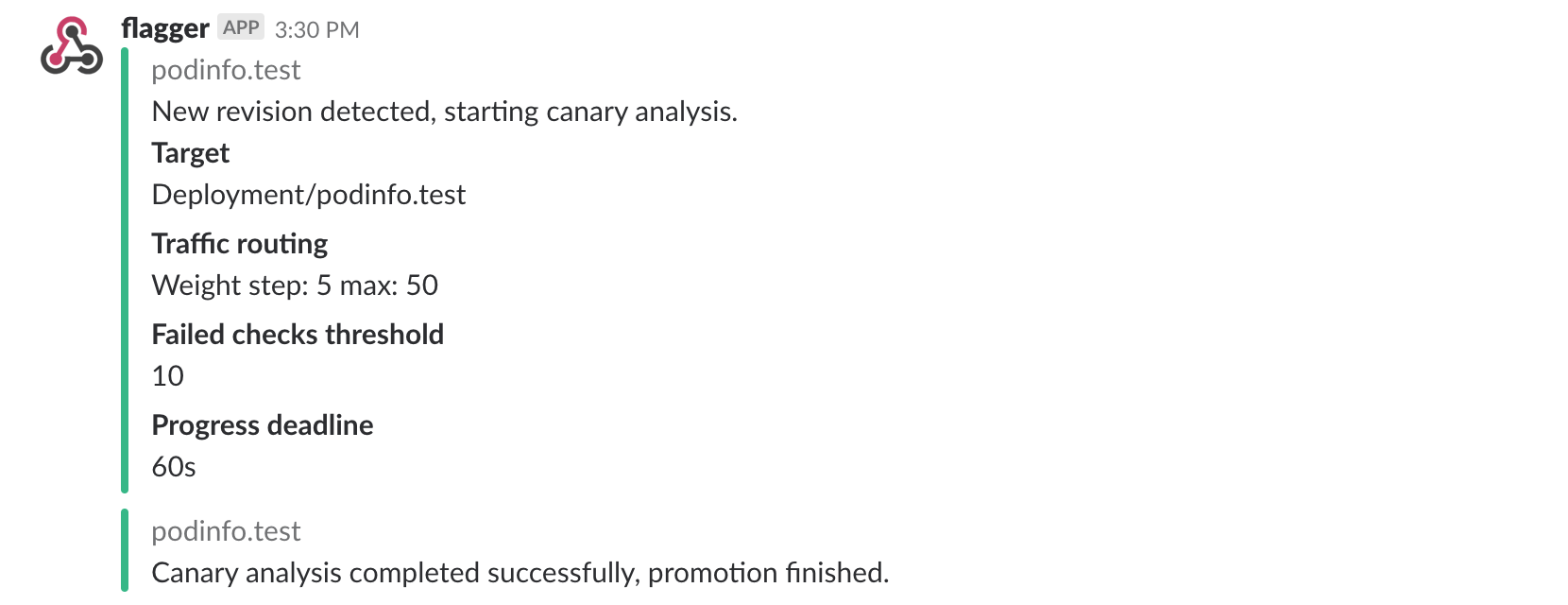
Once configured with a Slack incoming **webhook**,
|
|
Flagger will post messages when a canary deployment has been initialised,
|
|
when a new revision has been detected and if the canary analysis failed or succeeded.
|
|
|
|
|
|
|
|
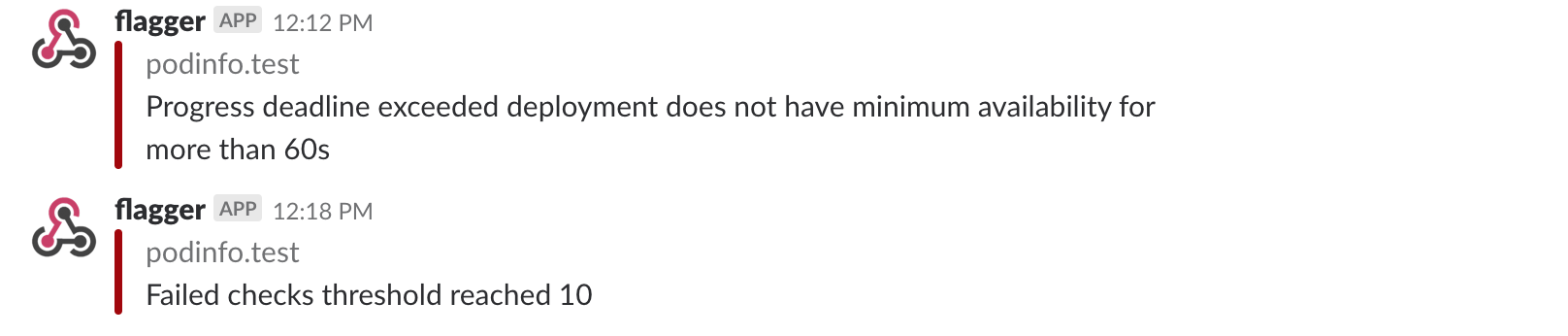
A canary deployment will be rolled back if the progress deadline exceeded
|
|
or if the analysis reached the maximum number of failed checks:
|
|
|
|
|
|
|
|
For using a Slack bot token, you should add `token` to a secret and use **secretRef**.
|
|
|
|
### Microsoft Teams
|
|
|
|
Flagger can be configured to send notifications to Microsoft Teams:
|
|
|
|
```bash
|
|
helm upgrade -i flagger flagger/flagger \
|
|
--set msteams.url=https://outlook.office.com/webhook/YOUR/TEAMS/WEBHOOK \
|
|
--set msteams.proxy-url=my-http-proxy.com # optional http/s proxy
|
|
```
|
|
|
|
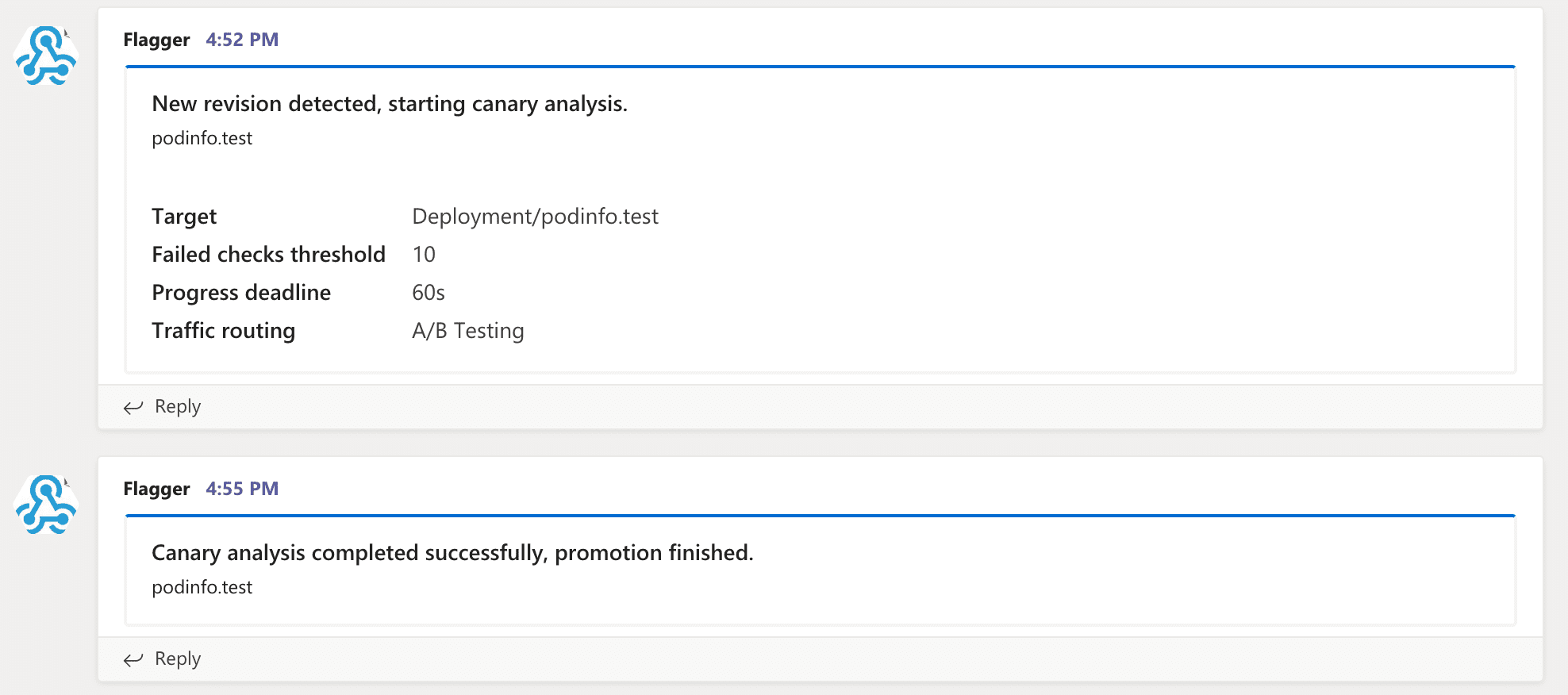
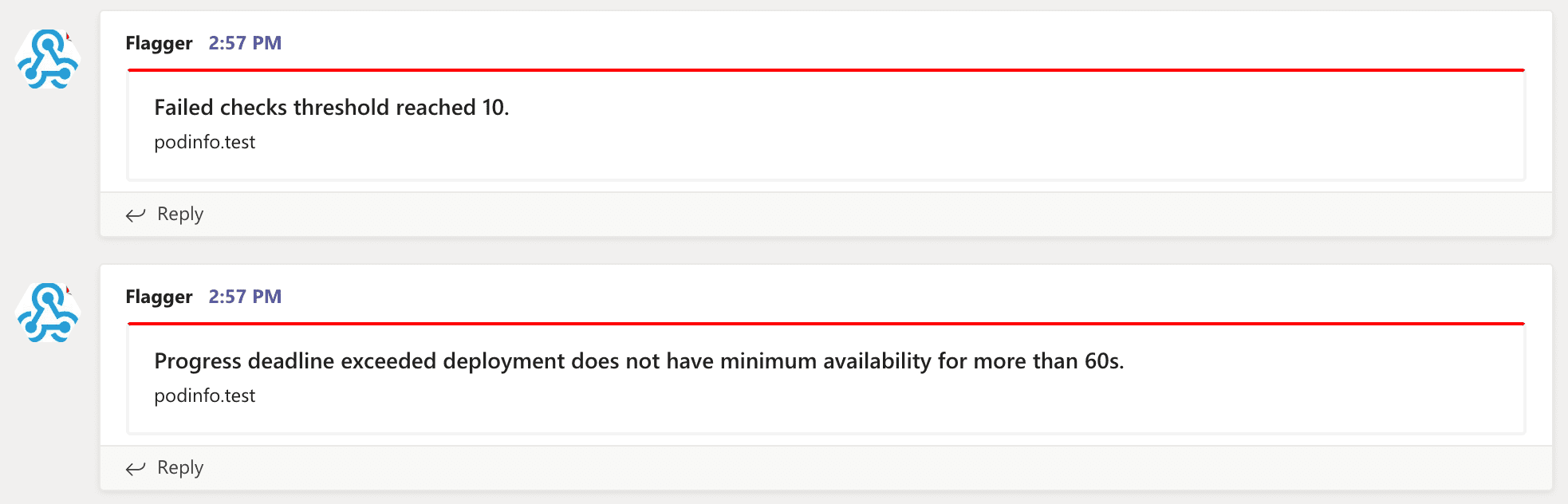
Similar to Slack, Flagger alerts on canary analysis events:
|
|
|
|
|
|
|
|
|
|
|
|
## Canary configuration
|
|
|
|
Configuring alerting globally has several limitations as it's not possible to specify different channels
|
|
or configure the verbosity on a per canary basis. To make the alerting move flexible,
|
|
the canary analysis can be extended with a list of alerts that reference an alert provider.
|
|
For each alert, users can configure the severity level. The alerts section overrides the global setting.
|
|
|
|
Slack example:
|
|
|
|
```yaml
|
|
apiVersion: flagger.app/v1beta1
|
|
kind: AlertProvider
|
|
metadata:
|
|
name: on-call
|
|
namespace: flagger
|
|
spec:
|
|
type: slack
|
|
channel: on-call-alerts
|
|
username: flagger
|
|
# webhook address (ignored if secretRef is specified)
|
|
# or https://slack.com/api/chat.postMessage if you use token in the secret
|
|
address: https://hooks.slack.com/services/YOUR/SLACK/WEBHOOK
|
|
# optional http/s proxy
|
|
proxy: http://my-http-proxy.com
|
|
# secret containing the webhook address (optional)
|
|
secretRef:
|
|
name: on-call-url
|
|
---
|
|
apiVersion: v1
|
|
kind: Secret
|
|
metadata:
|
|
name: on-call-url
|
|
namespace: flagger
|
|
data:
|
|
address: <encoded-url>
|
|
token: <encoded-token>
|
|
```
|
|
|
|
The alert provider **type** can be: `slack`, `msteams`, `rocket` or `discord`. When set to `discord`,
|
|
Flagger will use [Slack formatting](https://birdie0.github.io/discord-webhooks-guide/other/slack_formatting.html)
|
|
and will append `/slack` to the Discord address.
|
|
|
|
When not specified, **channel** defaults to `general` and **username** defaults to `flagger`.
|
|
|
|
When **secretRef** is specified, the Kubernetes secret must contain a data field named `address`,
|
|
the address in the secret will take precedence over the **address** field in the provider spec.
|
|
|
|
The canary analysis can have a list of alerts, each alert referencing an alert provider:
|
|
|
|
```yaml
|
|
analysis:
|
|
alerts:
|
|
- name: "on-call Slack"
|
|
severity: error
|
|
providerRef:
|
|
name: on-call
|
|
namespace: flagger
|
|
- name: "qa Discord"
|
|
severity: warn
|
|
providerRef:
|
|
name: qa-discord
|
|
- name: "dev MS Teams"
|
|
severity: info
|
|
providerRef:
|
|
name: dev-msteams
|
|
```
|
|
|
|
Alert fields:
|
|
|
|
* **name** \(required\)
|
|
* **severity** levels: `info`, `warn`, `error` (default info)
|
|
* **providerRef.name** alert provider name (required)
|
|
* **providerRef.namespace** alert provider namespace (defaults to the canary namespace)
|
|
|
|
When the severity is set to `warn`, Flagger will alert when waiting on manual confirmation or if the analysis fails.
|
|
When the severity is set to `error`, Flagger will alert only if the canary analysis fails.
|
|
|
|
To differentiate alerts based on the cluster name, you can configure Flagger with the `-cluster-name=my-cluster`
|
|
command flag, or with Helm `--set clusterName=my-cluster`.
|
|
|
|
## Prometheus Alert Manager
|
|
|
|
You can use Alertmanager to trigger alerts when a canary deployment failed:
|
|
|
|
```yaml
|
|
- alert: canary_rollback
|
|
expr: flagger_canary_status > 1
|
|
for: 1m
|
|
labels:
|
|
severity: warning
|
|
annotations:
|
|
summary: "Canary failed"
|
|
description: "Workload {{ $labels.name }} namespace {{ $labels.namespace }}"
|
|
```
|