mirror of
https://github.com/fluxcd/flagger.git
synced 2026-04-15 06:57:34 +00:00

82 lines
2.3 KiB
Markdown
82 lines
2.3 KiB
Markdown
# Flagger Grafana
|
|
|
|
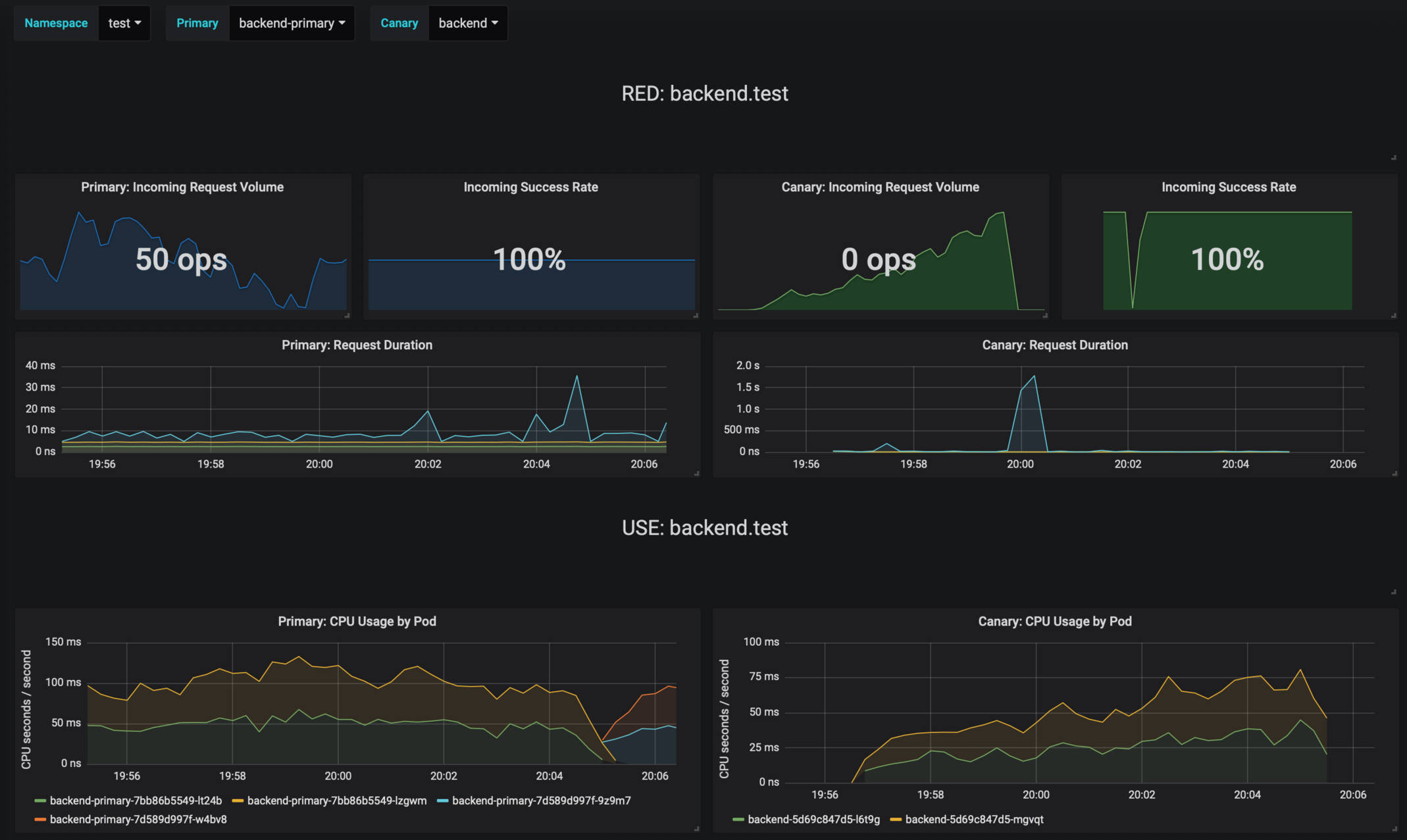
Grafana dashboards for monitoring progressive deployments powered by Flagger and Prometheus.
|
|
|
|
|
|
|
|
## Prerequisites
|
|
|
|
* Kubernetes >= 1.11
|
|
* Prometheus >= 2.6
|
|
|
|
## Installing the Chart
|
|
|
|
Add Flagger Helm repository:
|
|
|
|
```console
|
|
helm repo add flagger https://flagger.app
|
|
```
|
|
|
|
To install the chart for Istio run:
|
|
|
|
```console
|
|
helm upgrade -i flagger-grafana flagger/grafana \
|
|
--namespace=istio-system \
|
|
--set url=http://prometheus:9090
|
|
```
|
|
|
|
To install the chart for AWS App Mesh run:
|
|
|
|
```console
|
|
helm upgrade -i flagger-grafana flagger/grafana \
|
|
--namespace=appmesh-system \
|
|
--set url=http://appmesh-prometheus:9090
|
|
```
|
|
|
|
The command deploys Grafana on the Kubernetes cluster in the default namespace.
|
|
The [configuration](#configuration) section lists the parameters that can be configured during installation.
|
|
|
|
## Uninstalling the Chart
|
|
|
|
To uninstall/delete the `flagger-grafana` deployment:
|
|
|
|
```console
|
|
helm delete --purge flagger-grafana
|
|
```
|
|
|
|
The command removes all the Kubernetes components associated with the chart and deletes the release.
|
|
|
|
## Configuration
|
|
|
|
The following tables lists the configurable parameters of the Grafana chart and their default values.
|
|
|
|
Parameter | Description | Default
|
|
--- | --- | ---
|
|
`image.repository` | Image repository | `grafana/grafana`
|
|
`image.pullPolicy` | Image pull policy | `IfNotPresent`
|
|
`image.tag` | Image tag | `<VERSION>`
|
|
`replicaCount` | desired number of pods | `1`
|
|
`resources` | pod resources | `none`
|
|
`tolerations` | List of node taints to tolerate | `[]`
|
|
`affinity` | node/pod affinities | `node`
|
|
`nodeSelector` | node labels for pod assignment | `{}`
|
|
`service.type` | type of service | `ClusterIP`
|
|
`url` | Prometheus URL | `http://prometheus:9090`
|
|
|
|
Specify each parameter using the `--set key=value[,key=value]` argument to `helm install`. For example,
|
|
|
|
```console
|
|
helm install flagger/grafana --name flagger-grafana \
|
|
--set token=WEAVE-CLOUD-TOKEN
|
|
```
|
|
|
|
Alternatively, a YAML file that specifies the values for the above parameters can be provided while installing the chart. For example,
|
|
|
|
```console
|
|
helm install flagger/grafana --name flagger-grafana -f values.yaml
|
|
```
|
|
|
|
> **Tip**: You can use the default [values.yaml](values.yaml)
|
|
|
|
|