
Flagger Grafana
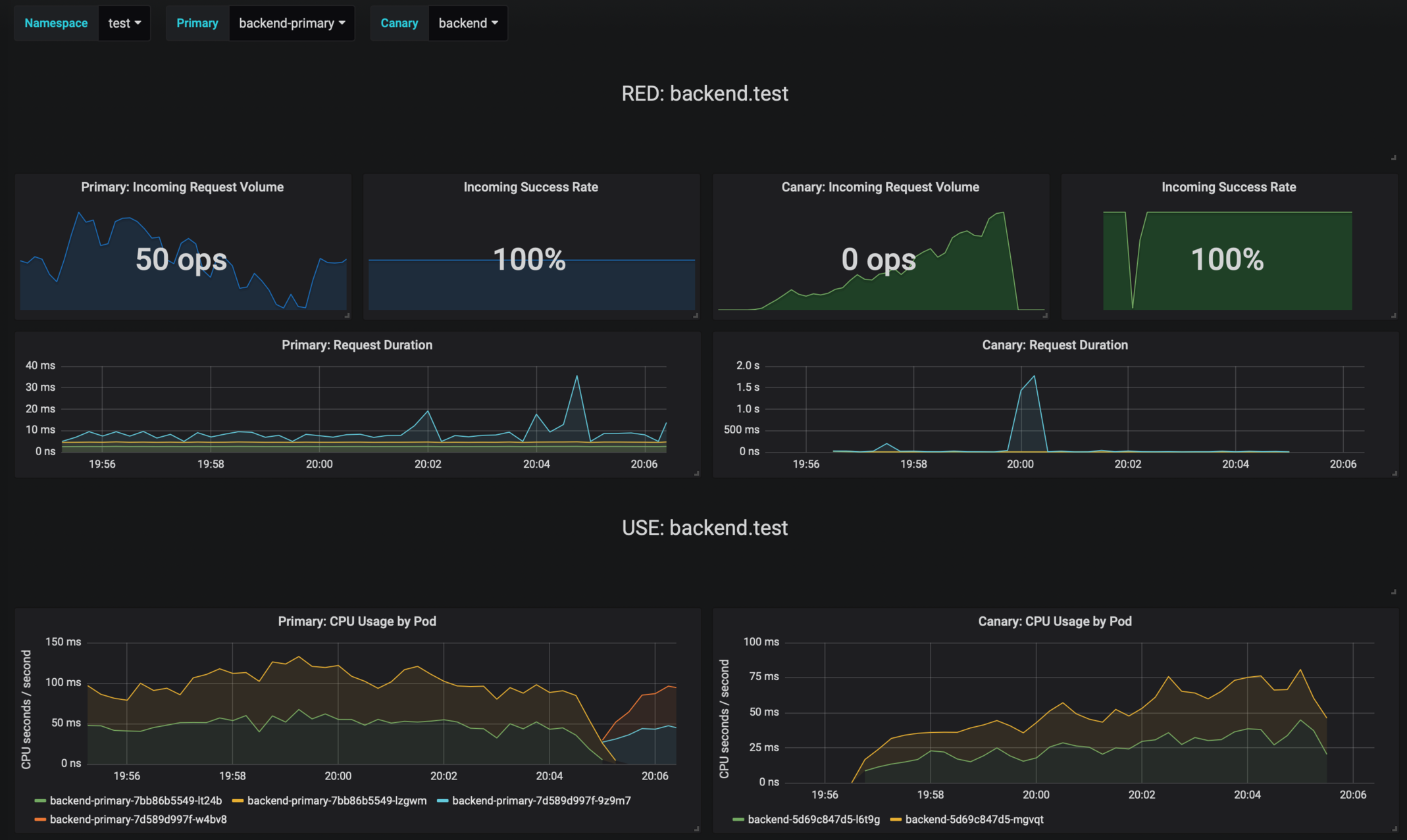
Grafana dashboards for monitoring progressive deployments powered by Istio, Prometheus and Flagger.
Prerequisites
- Kubernetes >= 1.11
- Istio >= 1.0
- Prometheus >= 2.6
Installing the Chart
Add Flagger Helm repository:
helm repo add flagger https://flagger.app
To install the chart with the release name flagger-grafana:
helm upgrade -i flagger-grafana flagger/grafana \
--namespace=istio-system \
--set url=http://prometheus:9090 \
--set user=admin \
--set password=admin
The command deploys Grafana on the Kubernetes cluster in the default namespace. The configuration section lists the parameters that can be configured during installation.
Uninstalling the Chart
To uninstall/delete the flagger-grafana deployment:
helm delete --purge flagger-grafana
The command removes all the Kubernetes components associated with the chart and deletes the release.
Configuration
The following tables lists the configurable parameters of the Grafana chart and their default values.
| Parameter | Description | Default |
|---|---|---|
image.repository |
Image repository | grafana/grafana |
image.pullPolicy |
Image pull policy | IfNotPresent |
image.tag |
Image tag | <VERSION> |
replicaCount |
desired number of pods | 1 |
resources |
pod resources | none |
tolerations |
List of node taints to tolerate | [] |
affinity |
node/pod affinities | node |
nodeSelector |
node labels for pod assignment | {} |
service.type |
type of service | ClusterIP |
url |
Prometheus URL, used when Weave Cloud token is empty | http://prometheus:9090 |
token |
Weave Cloud token | none |
user |
Grafana admin username | admin |
password |
Grafana admin password | admin |
Specify each parameter using the --set key=value[,key=value] argument to helm install. For example,
helm install flagger/grafana --name flagger-grafana \
--set token=WEAVE-CLOUD-TOKEN
Alternatively, a YAML file that specifies the values for the above parameters can be provided while installing the chart. For example,
helm install flagger/grafana --name flagger-grafana -f values.yaml
Tip
: You can use the default values.yaml