
6.9 KiB
Canary Deployments with Helm charts
This guide shows you how to package a web app into a Helm chart and trigger a canary deployment on upgrade.
Packaging
You'll be be using the podinfo chart. This chart packages a web app made with Go, it's configuration, a horizontal pod autoscaler (HPA) and the canary configuration file.
├── Chart.yaml
├── README.md
├── templates
│   ├── NOTES.txt
│   ├── _helpers.tpl
│   ├── canary.yaml
│   ├── configmap.yaml
│   ├── deployment.yaml
│   └── hpa.yaml
└── values.yaml
Install
Create a test namespace with Istio sidecar injection enabled:
export REPO=https://raw.githubusercontent.com/stefanprodan/flagger/master

kubectl apply -f ${REPO}/artifacts/namespaces/test.yaml
Add Flagger Helm repository:
helm repo add flagger https://flagger.app
Install podinfo with the release name frontend (replace example.com with your own domain):
helm upgrade -i frontend flagger/podinfo \
--namespace test \
--set nameOverride=frontend \
--set backend=http://backend.test:9898/echo \
--set canary.enabled=true \
--set canary.istioIngress.enabled=true \
--set canary.istioIngress.gateway=public-gateway.istio-system.svc.cluster.local \
--set canary.istioIngress.host=frontend.istio.example.com
After a couple of seconds Flagger will create the canary objects:
# generated by Helm
configmap/frontend
deployment.apps/frontend
horizontalpodautoscaler.autoscaling/frontend
canary.flagger.app/frontend

# generated by Flagger
configmap/frontend-primary
deployment.apps/frontend-primary
horizontalpodautoscaler.autoscaling/frontend-primary
service/frontend
service/frontend-canary
service/frontend-primary
virtualservice.networking.istio.io/frontend
After the frontend-primary deployment is available, Flagger will scale to zero the frontend deployment
and route all traffic to the primary pods.
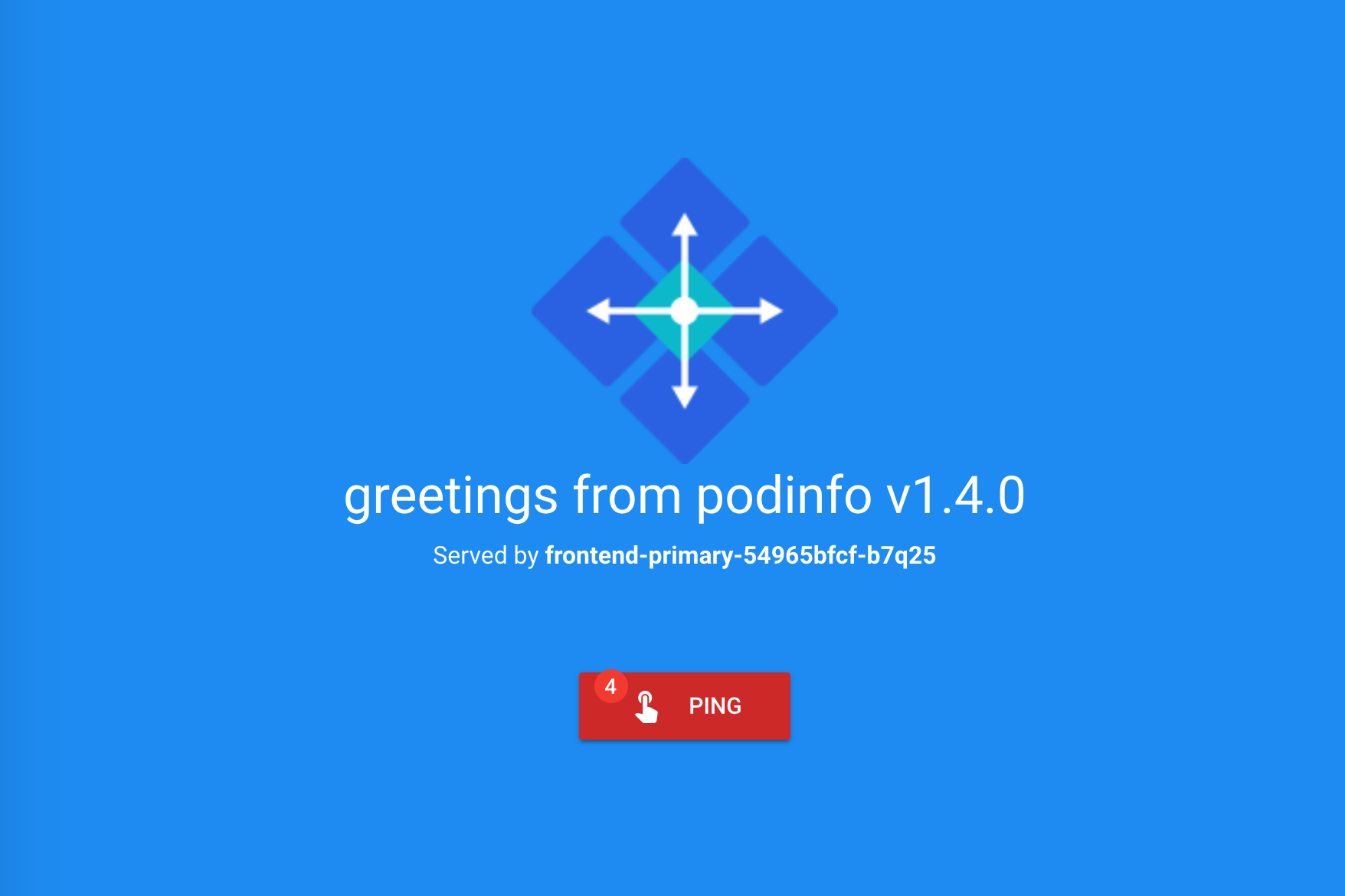
Open your browser and navigate to the frontend URL:
Now let's install the backend release without exposing it outside the mesh:
helm upgrade -i backend flagger/podinfo \
--namespace test \
--set nameOverride=backend \
--set canary.enabled=true \
--set canary.istioIngress.enabled=false
Check if Flagger has successfully deployed the canaries:
kubectl -n test get canaries

NAME       STATUS        WEIGHT   LASTTRANSITIONTIME
backend    Initialized   0        2019-02-12T18:53:18Z
frontend   Initialized   0        2019-02-12T17:50:50Z
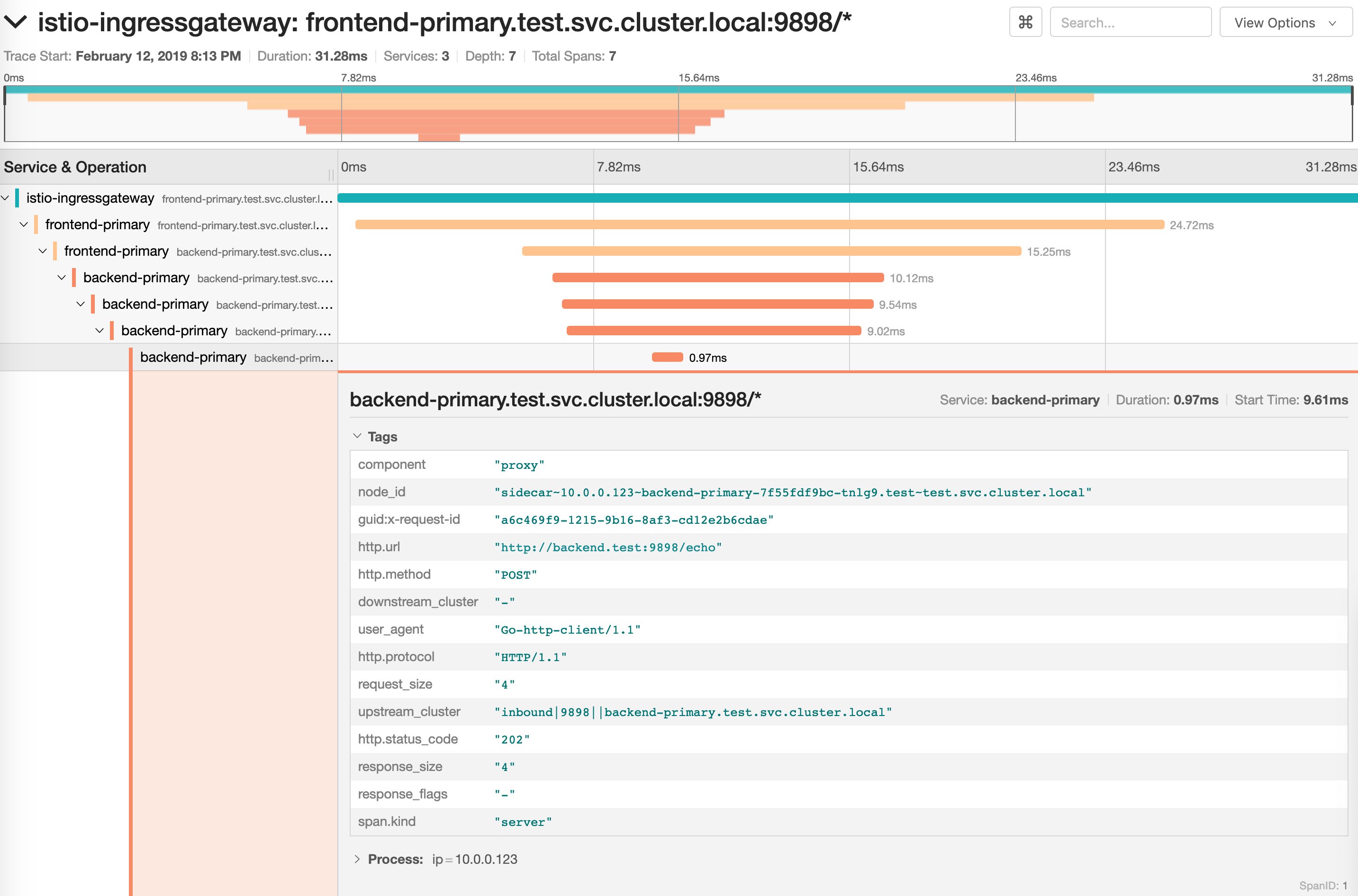
Click on the ping button in the frontend UI to trigger a HTTP POST request
that will reach the backend app:
Upgrade
First let's install a load testing service that will generate traffic during analysis:
helm upgrade -i flagger-loadtester flagger/loadtester \
--namepace=test
Let's enable the load tester and deploy a new frontend version:
helm upgrade -i frontend flagger/podinfo/ \
--namespace test \
--reuse-values \
--set canary.loadtest.enabled=true \
--set image.tag=1.4.1
Flagger detects that the deployment revision changed and starts the canary analysis along with the load test:
kubectl -n istio-system logs deployment/flagger -f | jq .msg

New revision detected! Scaling up frontend.test
Halt advancement frontend.test waiting for rollout to finish: 0 of 2 updated replicas are available
Starting canary analysis for frontend.test
Advance frontend.test canary weight 5
Advance frontend.test canary weight 10
Advance frontend.test canary weight 15
Advance frontend.test canary weight 20
Advance frontend.test canary weight 25
Advance frontend.test canary weight 30
Advance frontend.test canary weight 35
Advance frontend.test canary weight 40
Advance frontend.test canary weight 45
Advance frontend.test canary weight 50
Copying frontend.test template spec to frontend-primary.test
Halt advancement frontend-primary.test waiting for rollout to finish: 1 old replicas are pending termination
Promotion completed! Scaling down frontend.test
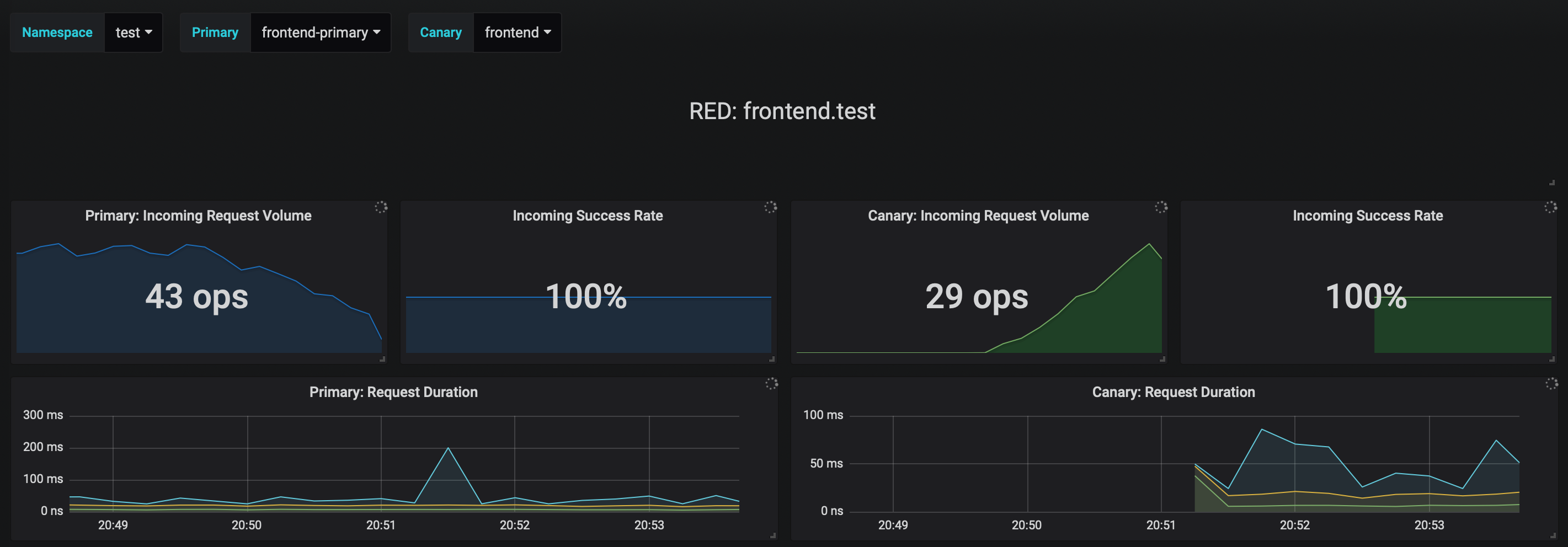
You can monitor the canary deployment with Grafana, open the Flagger dashboard,
select test from the namespace dropdown, frontend-primary from the primary dropdown and frontend from the
canary dropdown.
Now let's trigger a canary deployment for the backend app, but this time you'll change a value in the configmap:
helm upgrade -i backend flagger/podinfo/ \
--namespace test \
--reuse-values \
--set canary.loadtest.enabled=true \
--set httpServer.timeout=25s
Generate HTTP 500 errors:
kubectl -n test exec -it flagger-loadtester-xxx-yyy sh

watch curl http://backend-canary:9898/status/500
Generate latency:
kubectl -n test exec -it flagger-loadtester-xxx-yyy sh

watch curl http://backend-canary:9898/delay/1
Flagger detects the config map change and starts a canary analysis. Flagger will pause the advancement when the HTTP success rate drops under 99% or when the average request duration in the last minute is over 500ms:
kubectl -n istio-system logs deployment/flagger -f | jq .msg

ConfigMap backend has changed
New revision detected! Scaling up backend.test
Starting canary analysis for backend.test
Advance backend.test canary weight 5
Advance backend.test canary weight 10
Advance backend.test canary weight 15
Advance backend.test canary weight 20
Advance backend.test canary weight 25
Advance backend.test canary weight 30
Advance backend.test canary weight 35
Halt backend.test advancement success rate 62.50% < 99%
Halt backend.test advancement success rate 88.24% < 99%
Advance backend.test canary weight 40
Advance backend.test canary weight 45
Halt backend.test advancement request duration 2.415s > 500ms
Halt backend.test advancement request duration 2.42s > 500ms
Advance backend.test canary weight 50
Copying backend.test template spec to backend-primary.test
ConfigMap backend-primary synced
Promotion completed! Scaling down backend.test
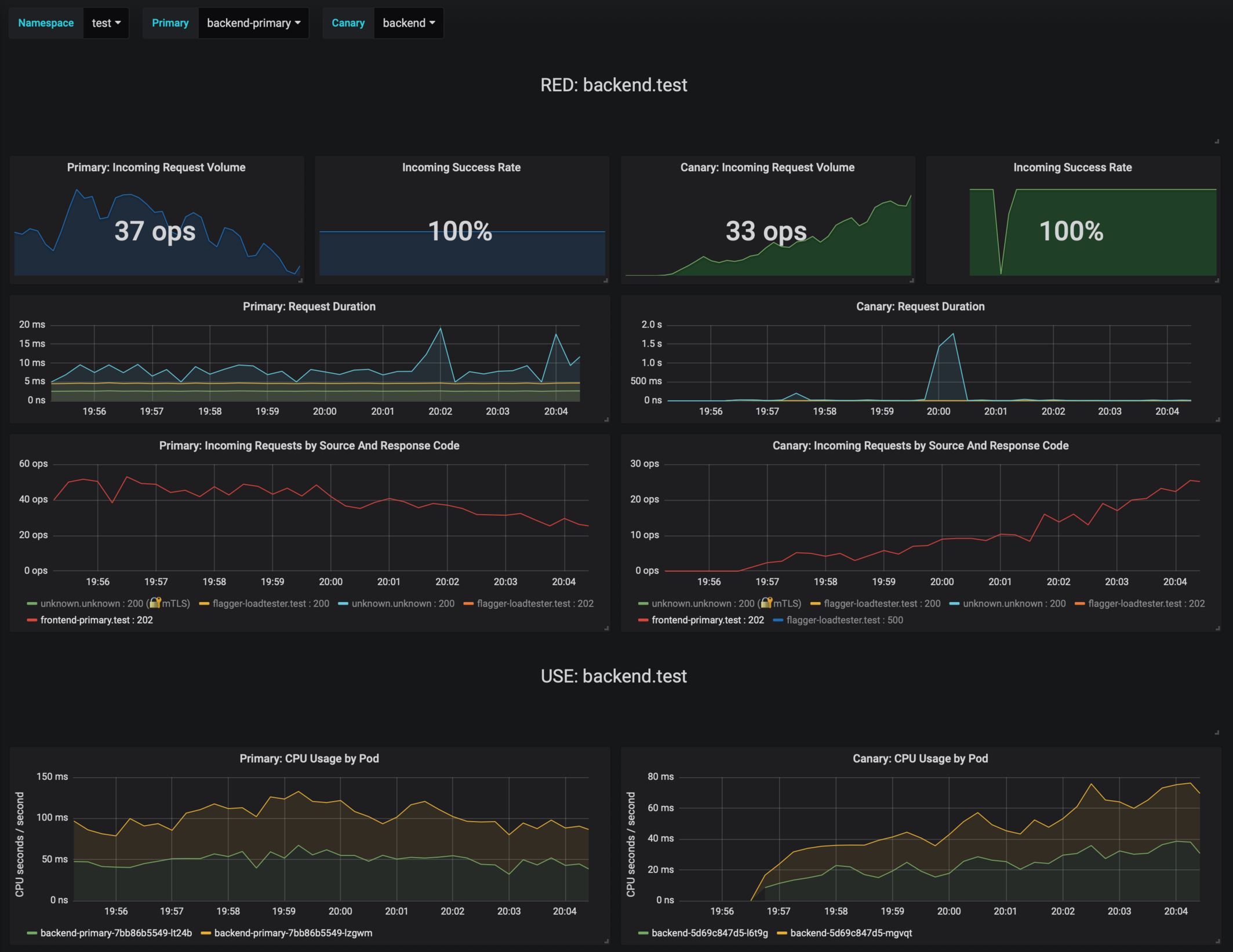
If the number of failed checks reaches the canary analysis threshold, the traffic is routed back to the primary, the canary is scaled to zero and the rollout is marked as failed.
kubectl -n test get canary

NAME       STATUS        WEIGHT   LASTTRANSITIONTIME
backend    Succeeded     0        2019-02-12T19:33:11Z
frontend   Failed        0        2019-02-12T19:47:20Z
If you've enabled the Slack notifications, you'll receive an alert with the reason why the backend promotion failed.