
3.0 KiB
Alerting
Slack
Flagger can be configured to send Slack notifications:
helm upgrade -i flagger flagger/flagger \
--set slack.url=https://hooks.slack.com/services/YOUR/SLACK/WEBHOOK \
--set slack.channel=general \
--set slack.user=flagger
Once configured with a Slack incoming webhook, Flagger will post messages when a canary deployment has been initialised, when a new revision has been detected and if the canary analysis failed or succeeded.
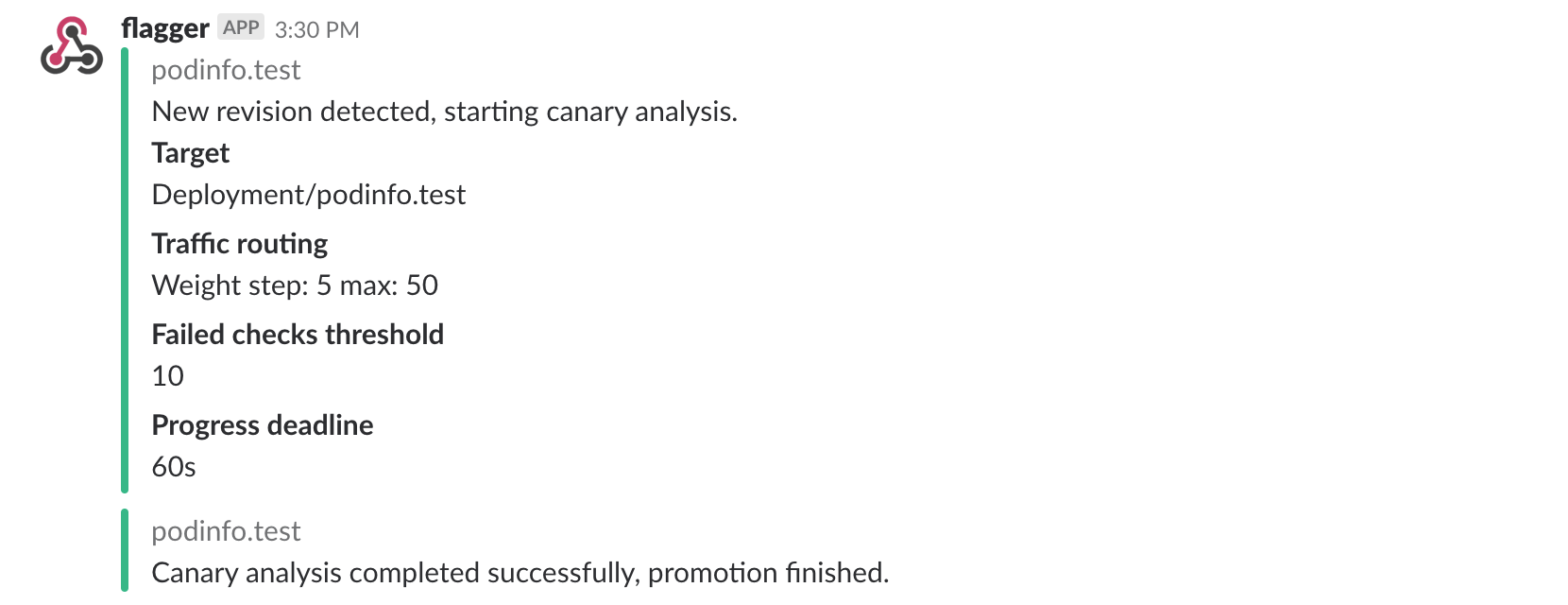
A canary deployment will be rolled back if the progress deadline exceeded or if the analysis reached the maximum number of failed checks:

Microsoft Teams
Flagger can be configured to send notifications to Microsoft Teams:
helm upgrade -i flagger flagger/flagger \
--set msteams.url=https://outlook.office.com/webhook/YOUR/TEAMS/WEBHOOK
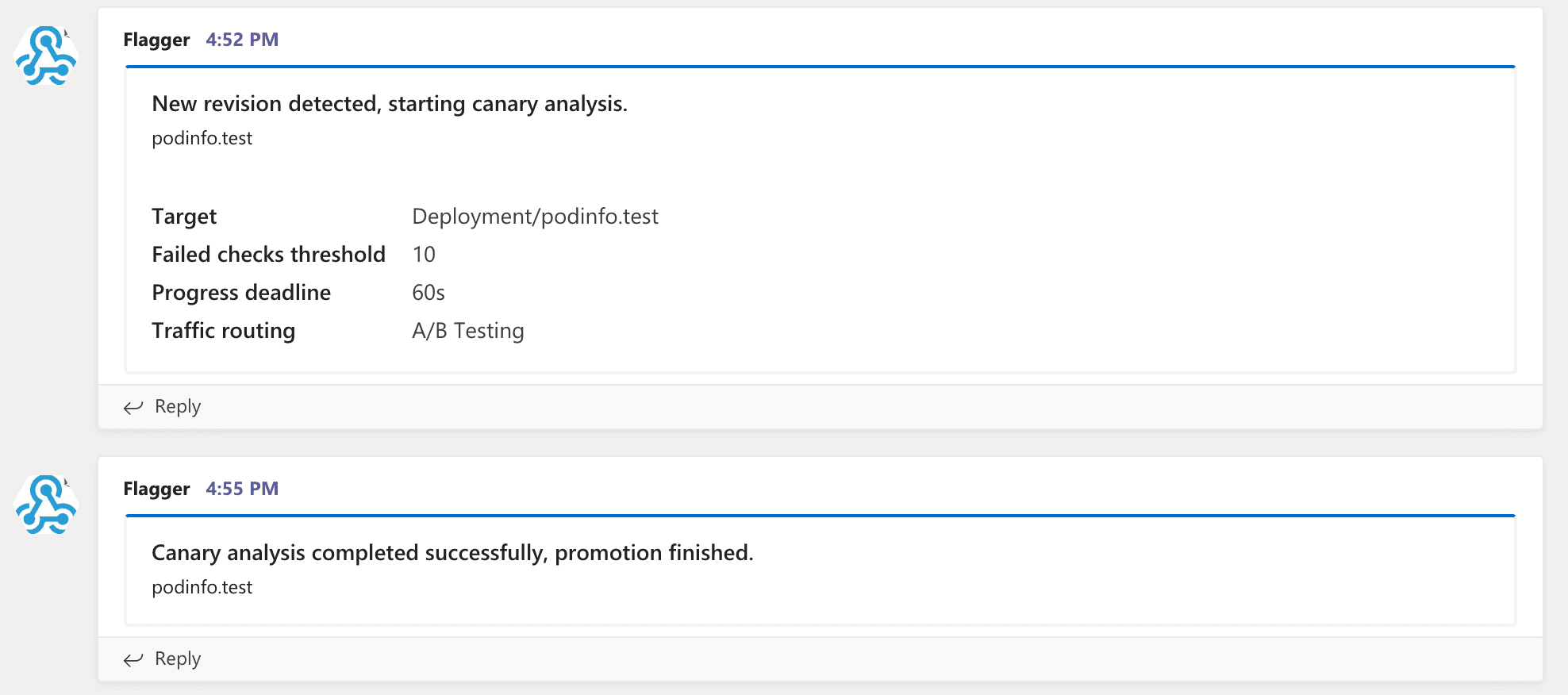
Flagger will post a message card to MS Teams when a new revision has been detected and if the canary analysis failed or succeeded:
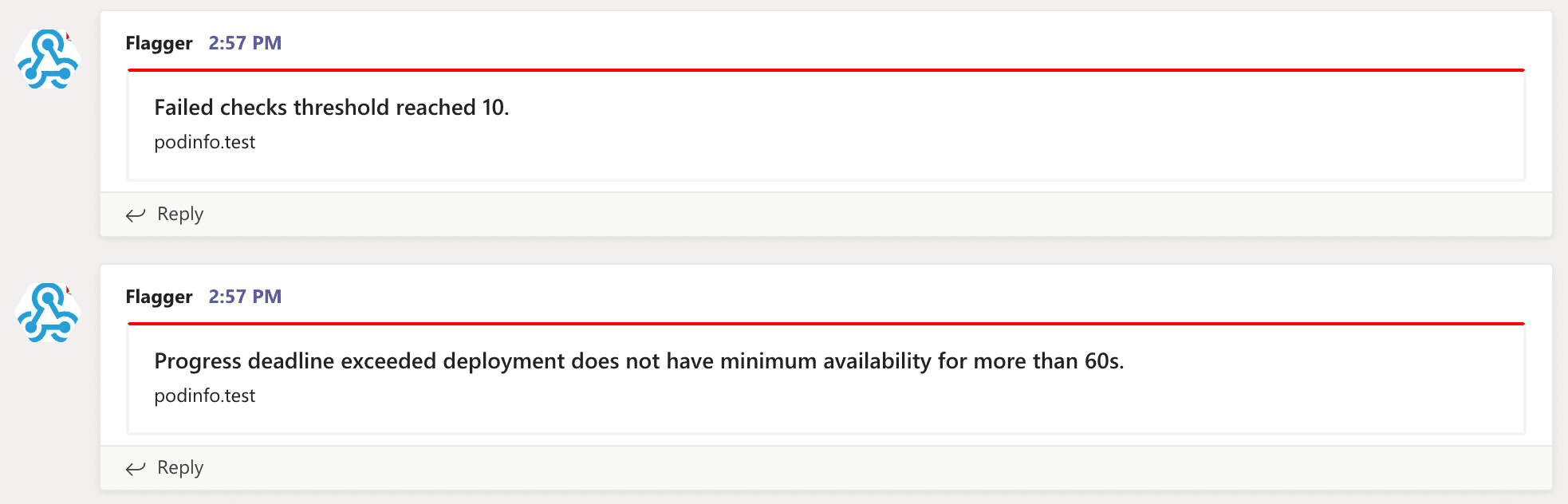
And you'll get a notification on rollback:
Prometheus Alert Manager
Besides Slack, you can use Alertmanager to trigger alerts when a canary deployment failed:
  - alert: canary_rollback
    expr: flagger_canary_status > 1
    for: 1m
    labels:
      severity: warning
    annotations:
      summary: "Canary failed"
      description: "Workload {{ $labels.name }} namespace {{ $labels.namespace }}"
Event Webhook
Flagger can be configured to send event payloads to a specified webhook:
helm upgrade -i flagger flagger/flagger \
--set eventWebhook=https://example.com/flagger-canary-event-webhook
When configured, every action that Flagger takes during a canary deployment will be sent as JSON via an HTTP POST request. The JSON payload has the following schema:
{
  "name": "string (canary name)",
  "namespace": "string (canary namespace)",
  "phase": "string (canary phase)",
  "metadata": {
    "eventMessage": "string (canary event message)",
    "eventType": "string (canary event type)",
    "timestamp": "string (unix timestamp ms)"
  }
}
Example:
{
  "name": "podinfo",
  "namespace": "default",
  "phase": "Progressing",
  "metadata": {
    "eventMessage": "New revision detected! Scaling up podinfo.default",
    "eventType": "Normal",
    "timestamp": "1578607635167"
  }
}
The event webhook can be overwritten at canary level with:
  canaryAnalysis:
    webhooks:
      - name: "send to Slack"
        type: event
        url: http://event-recevier.notifications/slack